PhantomJs macht Screenshots von Webseiten

Screenshot machen, ein Beispiele für PhantomJS

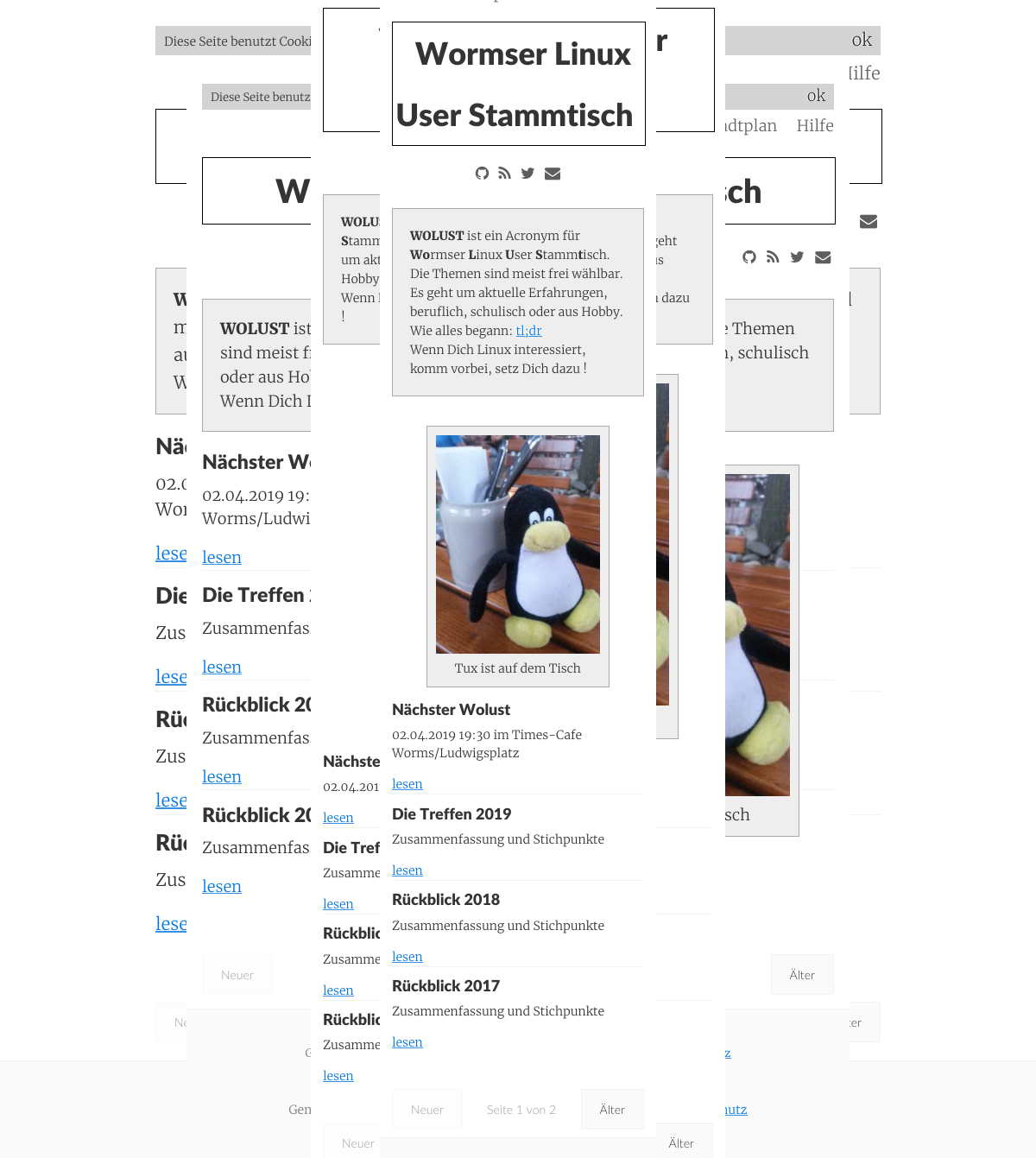
PhantomJS wird seit Jahren nicht mehr maintained. Ea gibt aber viele Anwendungsbeispiele. Deshalb hab ich das mal probiert. Es werden mehrere Screenshots in verschiedenen Auflösungen gemacht. Im Bild hab ich die Screenshots von https://wolust.de als Layer übernander gelegt.

Installation:

Lade ein fertkompiliertes phantomjs und kopiere es in einen PATH . zB /usr/local/bin  Es gibt eine Bug Ubuntu, Manjaro…weitere Linuxe. Vor dem Ausführen von phantomjs. Dieses Kommando eingeben: export OPENSSL_CONF=/dev/null

Skripte: So funktionierts. Im Ordner examples gibt es die Beispiele, die man an die eigenen Bedürfnisse anpassen kann. Ein Script aussuchen, und dann Parameter übergeben.

ungefähr so

phantomjs responsive-screenshot.js https://untergang.de/

 Hello-World-Script 

use strict"; console.log('Hello, world!'); phantom.exit(); 

Postet die Ladezeit von Webseiten auf Mastodon 

 echo $(phantomjs loadspeed.js https://wolust.de) | toot 


PhantomJS ist ein skriptfähiger „Headless“-Webbrowser, der ohne grafische Benutzeroberfläche funktioniert. Er basiert auf WebKit und ermöglicht es Entwicklern, Browser-Aktionen über eine JavaScript-API zu automatisieren. Alternativen:

  • Puppeteer (für Chrome/Chromium)
  • Playwright (unterstützt mehrere Browser wie Firefox, WebKit und Chrome)
  • Selenium WebDriver lternativen


  • Stefan Höhn : Benutzt seit ca. 2000 Linux. Ist ein dilettierenter Autodidakt, ist der Webmaster und einziger Autor von untergang.de. Mehr Info : https://stefan-höhm.de
  • Teilen auf Mastodon:     // I got the key, I got the secret… let key = 'mastodon-instance'; let instance = localStorage.getItem(key); // get the link from the DOM const button = document.querySelector('.mastodon-share'); // refresh the link with the instance name const refreshlink = (instance) => { button.href = `https://${instance}/share?text=${encodeURIComponent(document.title)}%0A${encodeURIComponent(location.href)}`; } // got it? Let's go! if (button) { // labels and texts from the link let prompt = button.dataset.prompt || 'Please tell me your Mastodon instance'; let editlabel = button.dataset.editlabel || 'Edit your Mastodon instance'; let edittext = button.dataset.edittext || '✏️'; // Ask the user for the instance name and set it… const setinstance = _ => { instance = window.prompt(prompt, instance); if(instance) { localStorage.setItem(key, instance); createeditbutton(); refreshlink(instance); button.click(); } } // create and insert the edit link const createeditbutton = _ => { if (document.querySelector('button.mastodon-edit')) return; let editlink = document.createElement('button'); editlink.innerText = edittext; editlink.classList.add('mastodon-edit'); editlink.title = editlabel; editlink.ariaLabel = editlabel; editlink.addEventListener('click', (e) => { e.preventDefault(); localStorage.removeItem(key); setinstance(); }); button.insertAdjacentElement('afterend', editlink); } // if there is a value in localstorage, create the edit link if(localStorage.getItem(key)) { createeditbutton(); } // When a user clicks the link button.addEventListener('click', (e) => { // If the user has already entered their instance // and it is in localstorage write out the link href // with the instance and the current page title and URL if(localStorage.getItem(key)) { refreshlink(localStorage.getItem(key)); // otherwise, prompt the user for their instance and save it to localstorage } else { e.preventDefault(); setinstance(); } }); }